E-commerce is becoming an ever more important route to market for businesses of all types. Here in the UK, we have one of the most valuable e-commerce markets in the world – the UK ranks 3rd behind China and the USA.
It’s not just millennials and Gen Z who are purchasing goods and services online, it’s your parents and, for some of you, your grandparents too.
All of us can sense e-commerce becoming ‘the norm’ for a variety of purchases. But, interestingly, specific online spending habits are changing too. For example, Average Conversion Rates and Average Order Values both appear to be increasing year-on-year. Not only are more of us spending online, we are also starting to spend more money online!
In this beefound guide, we explain how to assess your e-commerce needs, before reviewing 5 of the best online selling platforms. Our reviews cover the need-to-knows, user-friendliness, customisation options, marketing and SEO tools as well as the associated costs of each online marketplace.
Let’s get into it!
Jump to
- What to consider in an online selling platform
- 5 online selling platforms for e-commerce
- Have you optimised your route to market?

What to consider in an online selling platform
Before you begin selling online, it’s important to take the time to consider your options.
The continued rise of e-commerce has led to plenty of competition between SaaS companies, and there are scores of online selling platforms, online marketplaces, and e-commerce platforms to choose from.
As you’d expect, each platform or online marketplace has its own pros and cons. Please note that our list of online marketplaces includes both existing/3rd-party marketplaces and CMS.
When assessing the suitability of an online selling platform or CMS, the following are key considerations.
Your target audience
Start by thinking about your product, your customers and your wider target audience. An understanding of your target audience will help understand where they spend online.
It’s a fact that some marketplaces are better suited to certain business types or ‘niches’.
Take mainstream examples like ASOS Marketplace or Etsy, for instance. ASOS is tightly focused on clothing and apparel; whilst Esty dominates the handmade goods, and arts and crafts niches. If Etsy does make sense for your business, be sure to review our article on optimising Etsy shop listings for Google.
UX
Remember that you and your team will be using your online selling platform or CMS on a daily basis. We advise going with an option that fits with your own capabilities and needs.
As well as being user-friendly for you, consider the user experience for your customers. For example, the user experience offered by a 3rd-party marketplace like Amazon UK is different to what you can create with a CMS like WordPress.
Mobile optimisation is an increasingly important part of the e-commerce experience. As mobile apps and smartphones improve, people are shopping from their smartphones. In 2023, so-called ‘Mcommerce’ spending hit $2.2 trillion —that’s 60% of global e-commerce sales.
Cost, fees and scalability
What type of pricing model are you comfortable with? Some online selling platforms charge a commission, whilst others charge fixed fees.
At this point, you should also consider scalability. Do you need a platform that can scale alongside your business as your e-commerce sales increase?
Customization options
How important is the design and layout of your online store? What type of features do you want to offer customers?
Customisation options are part of the UX you offer your customers. Design and customisation are both important, especially for businesses attempting to build a strong brand.
Online marketplaces offer some level of design and customisation, but no way near the level offered by dedicated e-commerce platforms, such as Shopify and WooCommerce.
Marketing and SEO
Built-in marketing and SEO tools can be a big help in promoting and tracking your e-commerce performance.
Most online marketplaces and selling platforms now offer marketing tools and related services. However, by building your own e-commerce store you can fully integrate it with your wider digital marketing and SEO or pay-per-click advertising strategy.
5 online selling platforms for e-commerce

1. Amazon UK
Amazon needs no introduction —Amazon UK is the largest online marketplace in the United Kingdom. Averaging 500 million visitors per month, Amazon UK gives sellers access to a considerable market.
Plus, by opting to use Amazon FBA sellers can take advantage of Amazon’s fulfilment expertise and logistics network across the UK and Europe.
Amazon UK Pros
- Large & active customer base
- Quick market entry (UK & EU)
- Amazon FBA allows sellers to leverage logistical expertise
Amazon UK Cons
- Referral fee collected on each sale
- Limited customisation & branding options
What is the UX like on Amazon UK?
Setting up a seller account on Amazon UK is a straightforward process. All that’s needed to get started is a business email address, a chargeable credit card, valid ID, certain company documentation, and a bank account. Of course, sellers are required to create product listings for each of their products.
From the perspective of the customer, Amazon offers a streamlined UX that allows users to search, compare, and then purchase products quickly. Amazon is also fully mobile optimised as standard.
What level of customisation does Amazon UK offer?
Although Amazon lets sellers add a decent amount of information to each product page, the standard design and display options are limited.
However, by enrolling with Amazon Brand Registry, you can protect your IP and gain access to additional tools and services designed to help differentiate your brand.
For example, Amazon Stores Builder allows sellers to build a fully-branded online storefront, whilst A+ Content is a content creation and management tool for advanced customisation of product pages.
Does Amazon UK have marketing & SEO tools?
Yes. Amazon UK offers marketing tools, such as Amazon Advertising and Brand Analytics. In terms of SEO tools, Amazon has helpful resources for optimising storefront and product page content. Some marketing tools are charged separately.
How much does it cost to sell on Amazon UK?
Amazon UK has two selling plans.
- Individual is intended for businesses that sell less than 35 items per month and is charged at a flat rate of £0.75 (excl. VAT) per item sold.
- Professional is for businesses that sell more than 35 items per month and is charged via a monthly subscription of £25 (excl. VAT).
Amazon also charges a referral fee on each item sold. The referral fee is charged at 8% to 15%, depending on the product category. See a full breakdown of Amazon UK selling fees.
Keep in mind that, if you decide to use Amazon FBA, you will incur additional selling fees including fulfilment fees and storage fees.

2. Shopify
Shopify is an all-in-one e-commerce platform with a range of features that make it suitable for businesses of all sizes.
Known for its user-friendliness, Shopify has a straightforward store builder that allows sellers to get up and running quickly. The Shopify app store offers a wide range of apps that offer additional functionality and customisation options.
Shopify Pros
- Specialised e-commerce solution
- Intuitive seller dashboard
- Plenty of marketing apps/tools to choose from in Shopify app store
- Scalability
Shopify Cons
- Ongoing fees / subscription model
- Shopify ecosystem not as customisable as other e-commerce platforms
What is the UX like on Shopify?
When it comes to designing and managing your online store, Shopify is user-friendly. Shopify’s website builder incorporates the drag and drop interface that many of us are familiar with and there are also a choice of free and paid themes or templates. Non-technical users can follow the simple setup guide and build a bare-bones online store in a matter of hours.
You can optimise your Shopify online store to improve the overall UX. Useful features such as SSL certifications and abandoned cart recovery can make for a trustworthy and convenient user experience. Load speeds on Shopify are good, with visual elements usually loading within a couple of seconds. Overall, Shopify offers good levels of UX, even when subscribed to the basic package.
What level of customisation does Shopify offer?
Shopify is known for its straightforward and efficient web builder, which allows users to set up their online store quickly. In the past, Shopify offered limited customisation options, especially when compared to WooCommerce.
However, the introduction of Shopify Online Store 2.0 opened up more customisation options. This update introduced changes that make it easier for merchants to customise the design of their Shopify store; but also new developer tools that allow developers to build improved themes and apps.
Does Shopify have marketing & SEO tools?
Yes. All 3 of Shopify’s packages come with some basic marketing and SEO tools. Shopify includes options for setting up discounts, a basic blog editor, and email or social media marketing campaigns.
Keep in mind you also have the Shopify app store. The store has thousands of apps to choose from, designed for improving your various aspects of marketing and conversion.
How much does it cost to sell on Shopify?
Shopify has 3 main pricing packages.
- Shopify Basic costs £25 per month and is used by beginner and smaller online sellers.
- Shopify is £65 per month and is used by established sellers and small businesses.
- Shopify Advanced costs £344 per month and is used by medium and larger online sellers making a high volume of sales.
A discount is applied to the monthly cost of each pricing package if you opt to pay on a yearly basis. An additional package known as Shopify Plus is designed for Enterprise users, and starts at $2,000 per month.

3. OnBuy
Established in 2016, OnBuy has grown to become one of the biggest online marketplaces in the UK.
Suitable for sellers of all sizes, OnBuy is known for its transparent and low selling fees. It’s a straightforward online selling platform, with many of the essential e-commerce features built in.
OnBuy Pros
- Competitive selling fees
- Simple, affordable and suitable for sellers of all sizes
OnBuy Cons
- Smaller customer base than other established online marketplaces
- Limited customisation options for sellers
- Subscription model plus sales fees
What is the UX like on OnBuy?
The account setup process for new sellers is designed to be quick. After completing registration, the OnBuy team will schedule an onboarding session, taking you through the various account packages.
OnBuy offers an intuitive user interface for sellers and buyers. For sellers, there are 3 ways to add product listings:
- create listings manually;
- use pre-made templates;
- use an integration like Shopify or WooCommerce.
What level of customisation does OnBuy offer?
When compared to other e-commerce platforms, OnBuy’s user interface and customisation options are fairly basic —especially when you choose to create listings manually or use one of OnBuy’s pre-made templates.
Choosing to use an e-commerce integration brings all the features of a specialised e-commerce platform including extensive customisation options.
Does OnBuy have marketing & SEO tools?
Yes. Both of the packages include marketing tools & assistance with SEO, as standard.
OnBuy offers various forms of seller support, including support for email and social media campaigns. If you choose to list a ‘deal’, OnBuy’s content team can also assist with SEO descriptions to help improve the product’s ranking within its category. Keep in mind that, integrating OnBuy with an e-commerce platform unlocks powerful marketing and SEO tools.
How much does it cost to sell on OnBuy?
OnBuy has 2 account packages.
- OnBuy Standard costs £19 per month.
- OnBuy Partner costs £39 per month.
OnBuy does charge Sales Fees, but the fees are competitive ranging between 7% and 13.50%, depending on the product category.

4. WooCommerce
WooCommerce is a comprehensive e-commerce platform that allows sellers to build highly customisable online stores. WooCommerce is an open-source e-commerce plug-in for WordPress websites that comes with everything needed to build a successful online store.
Woo is best for businesses that are already using WordPress or have specific requirements around their future e-commerce website’s design or functionality.
WooCommerce Pros
- Built on top of the WordPress ecosystem
- Highly customisable with leading e-commerce features and functionality
- Extensive marketing and SEO tools via extensions and plug-ins
- Scalability
WooCommerce Cons
- Cost of themes, extensions and add-on services does add up
- Some technical expertise / prior knowledge of WordPress required
What is the UX like on WooCommerce?
Remember that WooCommerce is used to optimise WordPress sites for e-commerce. WooCommerce is user-friendly but, in order to get the most out of Woo’s extensive functionality, some prior knowledge of WordPress is required. Don’t be put off, WooCommerce includes a useful setup wizard to help less-experienced web designers get started with their online store.
For those who are familiar with the WordPress ecosystem, WooCommerce enables you to build a powerful online store. Woo has excellent e-commerce-centric themes and merchants can choose from a wide variety of extensions and plug-ins in the Woo Marketplace. This level of flexibility allows sellers to incrementally improve various aspects of UX.
What level of customisation does WooCommerce offer?
In comparison to other online marketplaces and e-commerce platforms, WooCommerce stands out for its customisation options. WooCommerce can be customised to your exact design and functionality requirements.
As an open-source platform, WooCommerce has a large developer community contributing themes, extensions and add-ons. This is what enables the endless customization options when building an online store using WooCommerce. Note that some knowledge of HTML and CSS code is needed to customise the design and layout of your WooCommerce store.
Does WooCommerce have marketing & SEO tools?
Yes. WooCommerce is compatible with many of the most popular marketing and SEO tools for WordPress, like Yoast SEO. The Woo Marketplace offers many more extensions and marketing tools to further enhance your marketing functions.
Tools for building email marketing and discounts campaigns are some of the most effective tools offered by WooCommerce. As WooCommerce is built on top of WordPress, the blog editor is important and you’ll find many of the essential SEO functions built in such as the ability to add metadata to each product and category page.
How much does it cost to sell on WooCommerce?
WooCommerce is available as a free plug-in for WordPress users, however, you’ll need extensions to get the most out of the platform. Woo offers 2 pricing plans that cover the needs of most businesses that are just getting started with e-commerce.
- WooCommerce Essential is priced at $39 per month.
- WooCommerce Performance is priced at $70 per month.
Shipping and payment fees vary depending on the options you choose, but there are a number of flat-rate options that make it easier to calculate ongoing costs and margins.
5. Fruugo
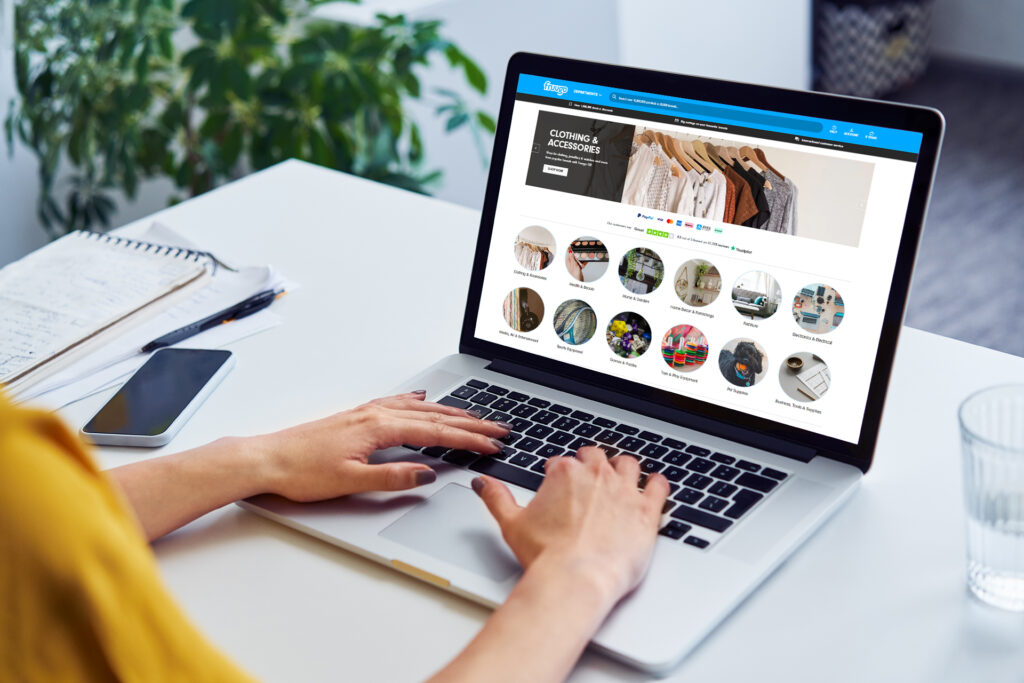
Fruugo is a global online marketplace that offers a simple way to start selling online.
The online selling platform is best known as a convenient way to open up multiple international markets, making it possible for even small merchants to connect with buyers in 46 countries!
Fruugo Pros
- Fastest-growing online marketplace in the UK
- Used in 46 countries, Fruugo offers quick access to international markets
- Simple user interface for retailers
Fruugo Cons
- Limited customisation options
- Marketing and SEO tools/integrations for Fruugo
What is the UX like on Fruugo?
Fruugo is designed to help retailers start selling online quickly and has prioritised user-friendliness. The initial registration process is straightforward, and designed to ensure new retailers meet Fruugo’s various requirements. On completing registration, new retailers are invited to ‘integrate’ their products with the Fruugo platform.
New retailers can choose from 3 integration methods:
- Direct Integration: Send Fruugo data via automated CSV or XML feeds.
- Integration Partners: Fruugo partner companies who have their own data integrations with online retailers and can integrate your product data into Fruugo.
- E-commerce Plug-ins: you can quickly integrate data from e-commerce plug-ins such as Shopify and WooCommerce.
For buyers, the Fruugo Marketplace follows a clean design that allows for easy navigation and product pages with plenty of imagery.
What level of customisation does Fruugo offer?
Like Amazon, Fruugo prioritises consistency across product listings. The customisation options for product listings on Fruugo are therefore limited, especially when compared to specialist e-commerce platforms like Shopify or WordPress with the WooCommerce plug-in.
That said, Fruugo does allow retailers to establish various elements of their brand identity on the marketplace. For example, retailers have various options for customising their Fruugo storefront and seller profile.
Does Fruugo have marketing & SEO tools?
Yes. Fruugo has basic marketing and SEO tools to help sellers promote their listings on the Fruugo Marketplace. For SEO, Fruugo allows retailers to add product tags, and optimise titles and descriptions. There’s also a range of advertising tools allowing you to set up campaigns for your products or your brand.
An effective approach to selling on Fruugo involves additional marketing, such as social media, email and content marketing, outside the Fruugo platform.
How much does it cost to sell on Fruugo?
Fruugo employs a commission-based model, built around the idea of ‘no-sale, no-fee’. Retailers can register and begin listing products on Fruugo for free.
Once you start selling on Fruugo, the fees breakdown as follows:
- ~15% commission on the shopper’s basket value;
- Funds Processing Fee of 2.35% of the Transaction Value on each completed sale.
Have you optimised your route to market?
Your choice of online marketplace or selling platform is crucial to the success of your e-commerce operations. It’s important to go with a platform that aligns with your business’ circumstances and business goals.
For many businesses, the choice revolves around the potential for scalability and the level of control they can maintain over their online store. But also keep in mind that many businesses manage their own self-hosted e-commerce website whilst also gaining exposure and sales through multiple online marketplaces.
Whether you’d like to discuss the options available to you, or would like help designing an e-commerce website, we’ve got you. If you’re ready to ‘bee’ found online, give beefound.agency a ‘buzz’ and let’s discuss your potential routes to market.